
Speak to an Email Deliverability Consultant FOR FREE



DMARC Lookup and DMARC Record Checker
Check DMARC Records to Stop Spoofing, Phishing, & Authentication Failures
Run a free DMARC check on any domain for FREE — our DMARC lookup tool analyzes your policy configuration, detects vulnerabilities that enable email spoofing, and shows exactly what's breaking authentication and brand protection.
Enter the domain to check DMARC records
Trusted by 10,000+ companies
Check DMARC Records for Any Domain in Seconds
Enter a domain name to run a DMARC lookup and check DMARC configuration. The DMARC record checker returns:
Run it before launching campaigns — catch policy conflicts and spoofing vulnerabilities before they destroy inbox placement.
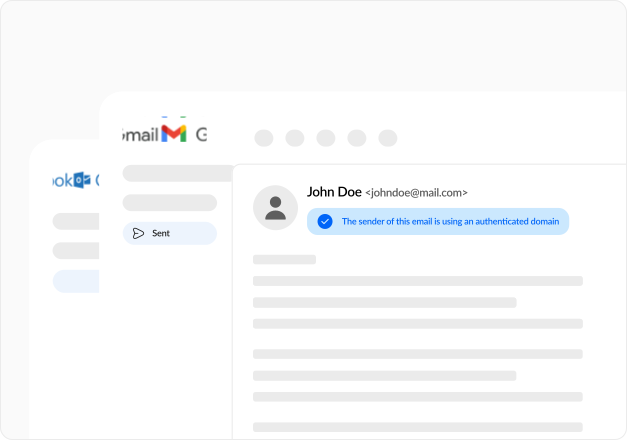
What Our DMARC Record Checker Tests
The DMARC lookup tool runs four critical diagnostics on your domain's DMARC policy:

DMARC Record Presence and Policy Configuration
Verifies a valid DMARC TXT record exists at _dmarc.yourcompany.com. Scans for policy conflicts — missing version tags, invalid policy values, malformed syntax. One syntax error invalidates the entire policy. Email providers ignore broken records and treat your domain as completely unprotected against spoofing.

Policy Enforcement and Alignment Verification
Checks policy action (none, quarantine, reject) and alignment requirements for SPF and DKIM. Verifies alignment modes match your infrastructure — strict breaks authentication when subdomains send email, relaxed allows organizational domain differences. Most authentication failures happen here.

Reporting Configuration and Delivery Setup
Validates aggregate report URIs (rua) and forensic destinations (ruf). Confirms external destination verification (EDV) passes for third-party addresses. Without proper reporting, you won't know which emails fail authentication, which sources spoof your domain, or why servers quarantine legitimate sends.

Subdomain Policy and Tag Validation
Tests subdomain policy inheritance (sp tag) and verifies optional tags. Detects common mistakes — percentage enforcement on monitoring policies (does nothing), forensic options without ruf addresses (no reports), conflicting alignment requirements. Unprotected subdomains become phishing attack vectors.
Figuring Out What DMARC Check Results Mean
The DMARC record checker classifies issues into categories so you know what broke and how to fix it.
Valid DMARC Policy
Record exists, syntax correct, policy enforcement matches infrastructure, reporting configured. Authentication passes, spoofed emails blocked, and visibility reports delivered.
Syntax and Formatting Errors
Version tag missing, policy typos, malformed delimiters, invalid emails. Servers can't parse your record and ignore it entirely. Zero protection while you think you're protected. Spoofed emails sail through, domain weaponized for phishing.
Policy Enforcement Mismatches
Valid syntax, but policy doesn't match authentication setup. Strict alignment when SPF/DKIM use different domains, quarantine/reject without testing, subdomain gaps leaving attack vectors open. Legitimate emails junked while unprotected subdomains enable spoofing. Revenue drops 40-60% before you realize the problem.
Reporting Configuration Problems
Policy works, but reporting is broken. Missing rua/ruf tags, EDV failures, invalid formats. No visibility into authentication results. Can't identify failing services, can't see spoofing attempts, can't measure effectiveness. Operating blind.
Alignment and Subdomain Issues
DMARC passes, but alignment conflicts with infrastructure. SPF passes, but Header From doesn't align, DKIM valid, but signing domain doesn't match. Subdomains inherit the wrong policy. Each misalignment creates authentication failures for legitimate email.
DMARC Tags and Policy Configuration
DMARC records start with v=DMARC1 — tags that follow define policy enforcement, alignment requirements, and reporting configuration.
| Tag | Description | Valid Values | Impact |
|---|---|---|---|
| v | Protocol version (required) | DMARC1 | Must be first tag — missing invalidates record |
| p | Policy for domain (required) | none, quarantine, reject | Controls action on failed authentication |
| rua | Aggregate report destination | mailto:address@domain | Where daily XML reports are sent |
| ruf | Forensic report destination | mailto:address@domain | Detailed failure reports for individual messages |
| sp | Subdomain policy | none, quarantine, reject | Overrides domain policy for subdomains |
| adkim | DKIM alignment mode | r, s | Relaxed allows org domains, strict requires exact match |
| aspf | SPF alignment mode | r, s | Relaxed allows org domains, strict requires exact match |
| fo | Forensic report trigger | 0, 1, d, s | Controls when forensic reports generate |
| rf | Forensic report format | afrf, iodef | Format for failure reports |
| pct | Percentage enforcement | 0–100 | Applies policy to percentage of failed messages |
| ri | Reporting interval | seconds | How often reports arrive — ISPs usually ignore this |
DMARC Policy Enforcement Levels
Policy enforcement controls what happens when SPF or DKIM authentication fails.
| Policy | Name | When to Use |
|---|---|---|
| none | Monitor only — no action | Initial setup, testing, gathering reports — zero protection |
| quarantine | Mark suspicious — spam folder | After testing confirms legitimate email passes |
| reject | Block completely — bounce at SMTP | When all legitimate sources authenticate correctly |
Start with p=none for 2-4 weeks, analyze reports, fix authentication, then move to quarantine and reject.
DMARC Alignment Modes for SPF and DKIM
Alignment verification connects authentication results to the Header From domain users actually see.
| Mode | SPF Alignment | DKIM Alignment | Risk |
|---|---|---|---|
| Relaxed (r) | Organizational domains match | Organizational domains match | Lower — allows mail.company.com for company.com |
| Strict (s) | Exact domain match required | Exact domain match required | Higher — mail.company.com fails for company.com |
Use relaxed for most configurations. Strict breaks authentication when subdomains or third-party services send on your behalf.
Complete Email Authentication with DMARC, SPF, and DKIM
DMARC doesn't work alone — proper authentication requires SPF, DKIM, and DMARC together. Run a DMARC lookup to validate policy, then check SPF records and verify DKIM.
If you've configured DMARC but emails still land in spam, authentication isn't your only problem. Book a free email deliverability consultation, and we'll:
Stop losing revenue to spam folders today.
Frequently asked questions
about our FREE DMARC Generator
Here’s everything you need to know about our DMARC Generator:
 1.svg)
 Schedule your consultation call