
Speak to an Email Deliverability Consultant FOR FREE



DKIM Lookup and DKIM Record Checker
Check DKIM Records to Verify Signatures & Stop Email Tampering
Run a free DKIM check on any domain and selector — our DKIM lookup tool validates digital signatures, verifies public key configuration, and shows exactly what's breaking authentication and enabling message tampering.
Enter the domain and selector to check DKIM records
Trusted by 10,000+ companies
Check DKIM Records for Any Domain in Seconds
Enter a domain name and selector to run a DKIM lookup and check DKIM configuration. The DKIM record checker returns:
Receiving servers perform this exact DKIM check when your emails arrive. Run it before launching campaigns — catch broken signatures and missing selectors before they tank authentication (and enable attackers to tamper with your messages).
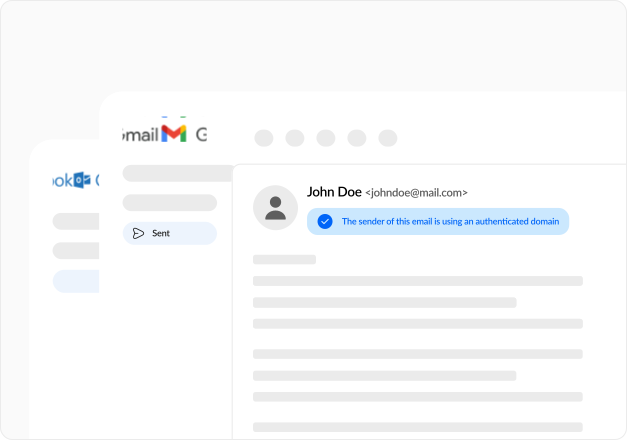
What Our DKIM Checker Tests
The DKIM lookup tool runs four critical diagnostics on your domain's DKIM record:

DKIM Record Presence and Selector Validation
Verifies a valid DKIM TXT record exists at selector._domainkey.yourdomain.com. Confirms selector matches what your mail server uses to sign messages. One selector mismatch means receiving servers can't find your public key — every email fails DKIM authentication despite having valid signatures.

Public Key and Cryptographic Configuration
Extracts and validates the public key from your DKIM record. Verifies key type (RSA or Ed25519), key length (1024, 2048, or 4096-bit), and cryptographic algorithm (rsa-sha256 vs rsa-sha1). Weak keys or deprecated algorithms get flagged by modern receivers — messages pass DKIM technically, but get penalized in reputation scoring.

Tag Syntax and Record Formatting
Parses required tags (v, p) and optional tags (k, t, s, h, n) to confirm proper formatting. Checks version tag correctness, validates service types, and verifies flags. One syntax error makes the entire record unparsable. Receiving servers ignore broken records and treat messages as unsigned — zero DKIM protection.

Signature Integrity and Key Matching
Tests whether the public key in DNS corresponds to signatures your mail server generates. Detects key mismatches that occur when you regenerate keys without updating DNS, or when mail servers use the wrong selectors. Mismatch means every outbound message fails DKIM verification regardless of proper signing.
Figuring Out What DKIM Check Results Mean
The DKIM record checker classifies issues, so you know what broke and how to fix it.
Valid DKIM Record
Record exists at the correct selector, syntax follows spec, public key present and properly formatted, tags configured correctly. Clean DKIM — signatures verify successfully, message integrity confirmed, and authentication passes.
Syntax and Formatting Errors
Version tag missing, public key malformed, incorrect delimiters, invalid tag values. Servers can't parse your record. They treat messages as unsigned despite valid signatures from the mail server — zero DKIM protection while thinking you're protected.
Selector Not Found
The record might exist, but the selector in the email headers doesn't match the DNS record. Mail server signs with one selector, DNS publishes at a different selector. Common cause — ESP migration where the old selector remains in the mail config. Result — all DKIM checks fail at the verification stage.
Missing or Empty Public Key
Record exists, but p= tag empty or missing entirely. Empty key explicitly revokes DKIM for that selector — use when retiring keys. A missing key means an incomplete configuration. Either way, authentication fails for every message.
Key Type or Algorithm Issues
Key type unsupported by receiver, algorithm deprecated (rsa-sha1), key length below minimum (512-bit). Modern receivers reject weak cryptography. Messages technically authenticate, but get reputation penalties or outright rejection.
DKIM Tags and Record Structure
DKIM records published as DNS TXT records at selector._domainkey.domain — tags define key properties and signature rules.
| Tag | Description | Valid Values | Impact |
|---|---|---|---|
| v | Protocol version | DKIM1 | Only valid value — missing invalidates record |
| p | Public key (required) | Base64 encoded key | Empty revokes DKIM, missing breaks authentication |
| k | Key type | rsa, ed25519 | Defaults to rsa — must match mail server configuration |
| t | Flags | y, s | Testing allows failures, strict requires exact domain match |
| s | Service types | email, * | Restricts which services can use this key |
| h | Acceptable hash algorithms | sha1, sha256 | Limits which algorithms receivers accept |
| n | Administrator note | Free text | Optional metadata — not processed by receivers |
DKIM Signature Algorithms and Security
Algorithm choice affects both security and deliverability — receivers penalize weak cryptography.
| Algorithm | Security Level | Adoption | Recommendation |
|---|---|---|---|
| rsa-sha1 | Weak — deprecated | Legacy only | Avoid — major receivers penalize or reject |
| rsa-sha256 | Strong — current standard | Universal support | Use by default for all mail |
| ed25519 | Strongest — emerging | Limited receiver support | Use when receivers support it |
Use rsa-sha256 with 2048-bit keys for maximum compatibility. Upgrade to Ed25519 only after confirming receiver support.
Complete Email Authentication with DKIM, SPF, and DMARC
DKIM doesn't work alone — proper authentication requires SPF, DKIM, and DMARC together. Run a DKIM lookup to validate signatures, then check SPF records and check DMARC policy.
If you've configured DKIM but emails still land in spam, authentication isn't your only problem. Book a free email deliverability consultation, and we'll:
Stop losing revenue to spam folders today.
 Schedule a free consultation
Frequently asked questions
about our FREE SPF Generator
Here’s everything you need to know about our SPF Generator:
 1.svg)
 Schedule your consultation call